

HUD · Buffs · Deaths · Kills · Enemies · Debuffs
Tracker
One tabbed window for everything you want to look back on — five lists, no clutter.
What it does
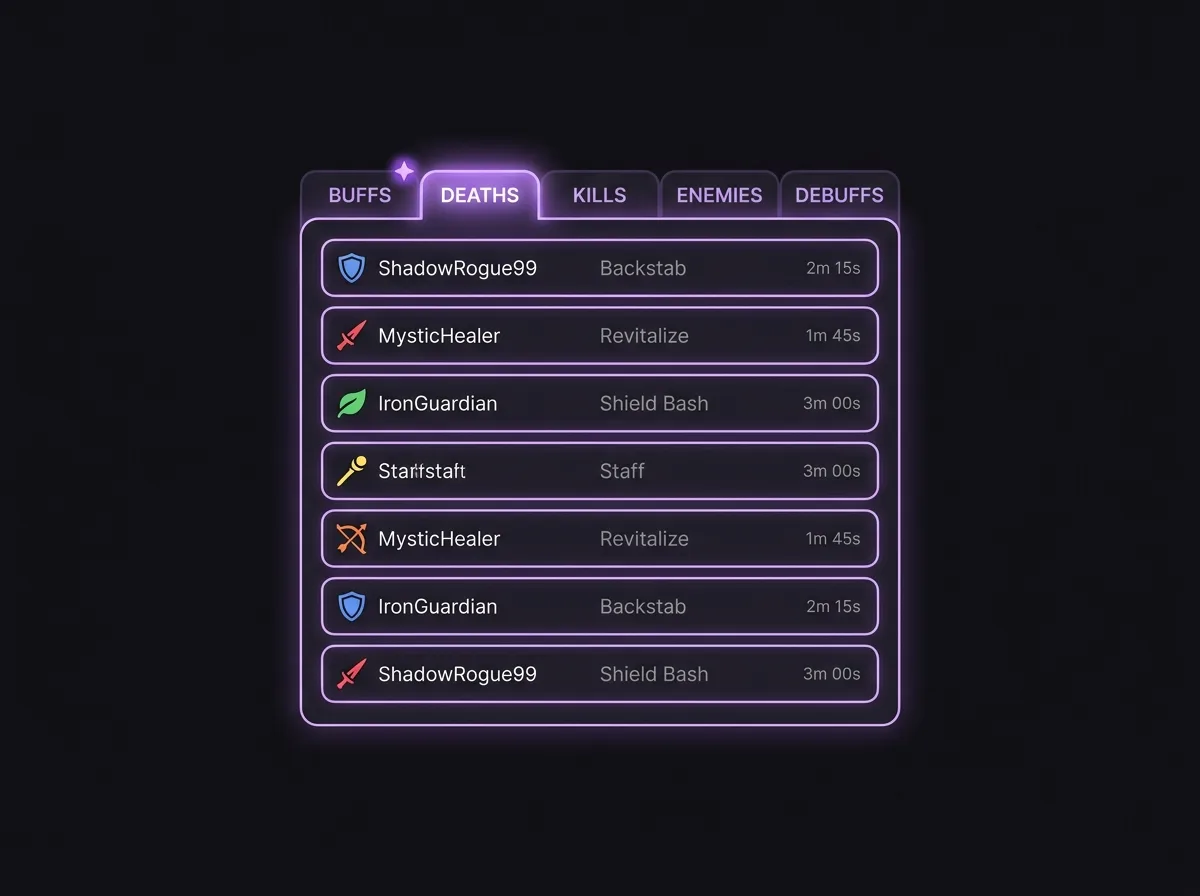
The Tracker folds five formerly-scattered panels into one slim, tabbed window: your buff/food timers, who killed you, who you killed, who is hitting you right now, and the Freep debuffs ticking on you. Only one tab shows at a time; a small star marks the Buff tab when something changed so you’re never surprised by an expired food.
Anatomy
Buffs tab
16 drop-slots (8×2) with name, remaining MM:SS and a bar — drag a buff in to track it.
Deaths tab
Time · killer (class icon + name) · finishing skill — your death recall.
Kills tab
Time · victim (class icon + name) for your recent killing blows.
Enemies tab
Who is hitting you this fight — class icon (half = guessed, full = confirmed), hits, last seen.
Debuffs tab
Harmful effects on you, most urgent first: icon · name · remaining time.
Details
- Lists show 10 rows with a scrollbar — unbounded, not a hard cap.
- Class shown wherever known, fed by the Target Manager’s confirmed {name, class} push.
- The active tab is remembered across the session.
- A change-star appears only on the Buff tab — it clears when you open it.