 CombatDash
Alerts are messages at the screen center. They call attention to time-critical combat situations.
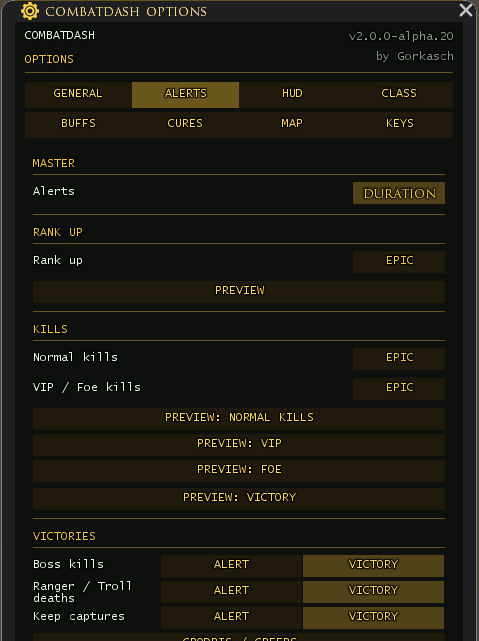
Available alerts include:
- Tracked by Freep
- Incoming Bubble
- Execute Ready and Revenge Ready
- Dying Rage and Rage Ready
- Power of Fear
- Ranger Mark, Ranger DoT, and Ranger Nearby
- Stealth Detected
- Freep or Fight Nearby
- Killing Blow and Kill Series
- Drake and Delving Boss
When you select a player outside targeting range and the game reports “
In SHORT mode, CombatDash shows a short pulse. In DURATION mode, a state-based alert stays visible while its trigger remains active. A safety limit removes stuck alerts.
Up to five alerts can appear at the same time. CombatDash sorts them by priority.
The Events tab stores many identified events as text rows. Alerts and Events serve different purposes:
- Alerts demand immediate attention.
- Events help you review the current session.
Both systems depend on the same detection sources. If CombatDash misses an event, it cannot show the related alert or event row.
Spend commendations before the cap
At 19,000 commendations, a reminder asks you to spend; at 20,000, a cap warning follows. Both disappear after five seconds, including in Duration mode. Further gains above the same threshold do not repeat the warning. If you cross the threshold in combat, display waits until combat ends. Disable it under Options → Alerts → Commendation Limit. The duration still needs confirmation in the game.
Interpreting Ranger warnings
A shared effect icon alone does not prove a Ranger attack. The ordinary Burning effect therefore no longer triggers the Ranger DoT alert solely through that icon. Recognition requires the verified identifiers for the particular effect. No warning does not prove that no Ranger is nearby.
A tilde in an ordinary chat message does not trigger a Ranger sighting. A matching name must occur as an actor in a recognized combat event. Alert chat echoes use plain text without colour markup.