 CombatDash
The Radial Menu is the central window launcher. It always stays above the other windows.
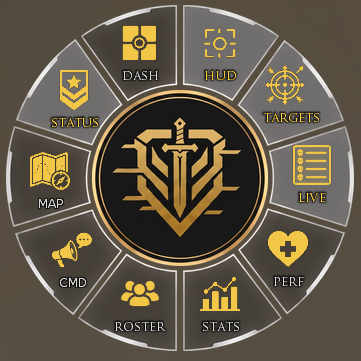
Click the center to open or close the ring. The ten segments control these areas:
- HUD (Combat HUD)
- TARGETS (Target Manager)
- LIVE (Tracker)
- PERF (Performance)
- STATS (Statistics)
- ROSTER (Party and Invites)
- CMD (Commands)
- MAP (Map)
- STATUS (PvMP Status)
- DASH (Dashboard)
A status dot and the segment color show whether an area is active. The menu stays open after a click. You can switch several windows without reopening the ring.
Right-click a segment to open its help page. Double-click the center to open CombatDash Options.
Drag the closed center to a new position. CombatDash saves this position for the character.