 CombatDash
The Roster contains the PARTY and INVITES tabs.
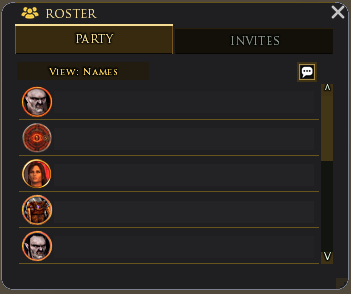
PARTY
PARTY shows the known fellowship or raid. The name view shows one row per player. The class view counts the known Creep classes.
CombatDash builds this list from chat messages and Performance messages. A group that existed before plugin startup can be incomplete at first. When your outgoing invite creates a new group, CombatDash shows you as its leader. It preserves this state if the group becomes a raid. Joining another player's group does not imply that you are the leader.
Players without a CombatDash message can appear as Unknown. This is missing data, not a statement about their class.
The chat button shares the current name or class view. Right-click it to select the destination channel.
INVITES
INVITES collects clear invite requests from OOC. CombatDash accepts only defined phrases, so normal chat messages do not enter the queue.
You can sort by age, name, or class. Filters can show selected classes or unknown requests. Favorites can appear first.
Each row has an /invite Quickslot. You must click it. An entry disappears after the player joins or after 30 minutes without another request.
Use ADD to enter a name manually. CLR clears the complete queue.