 CombatDash
The Map shows the Ettenmoors and the Delving of Frór. Use the toolbar control to switch between both maps.
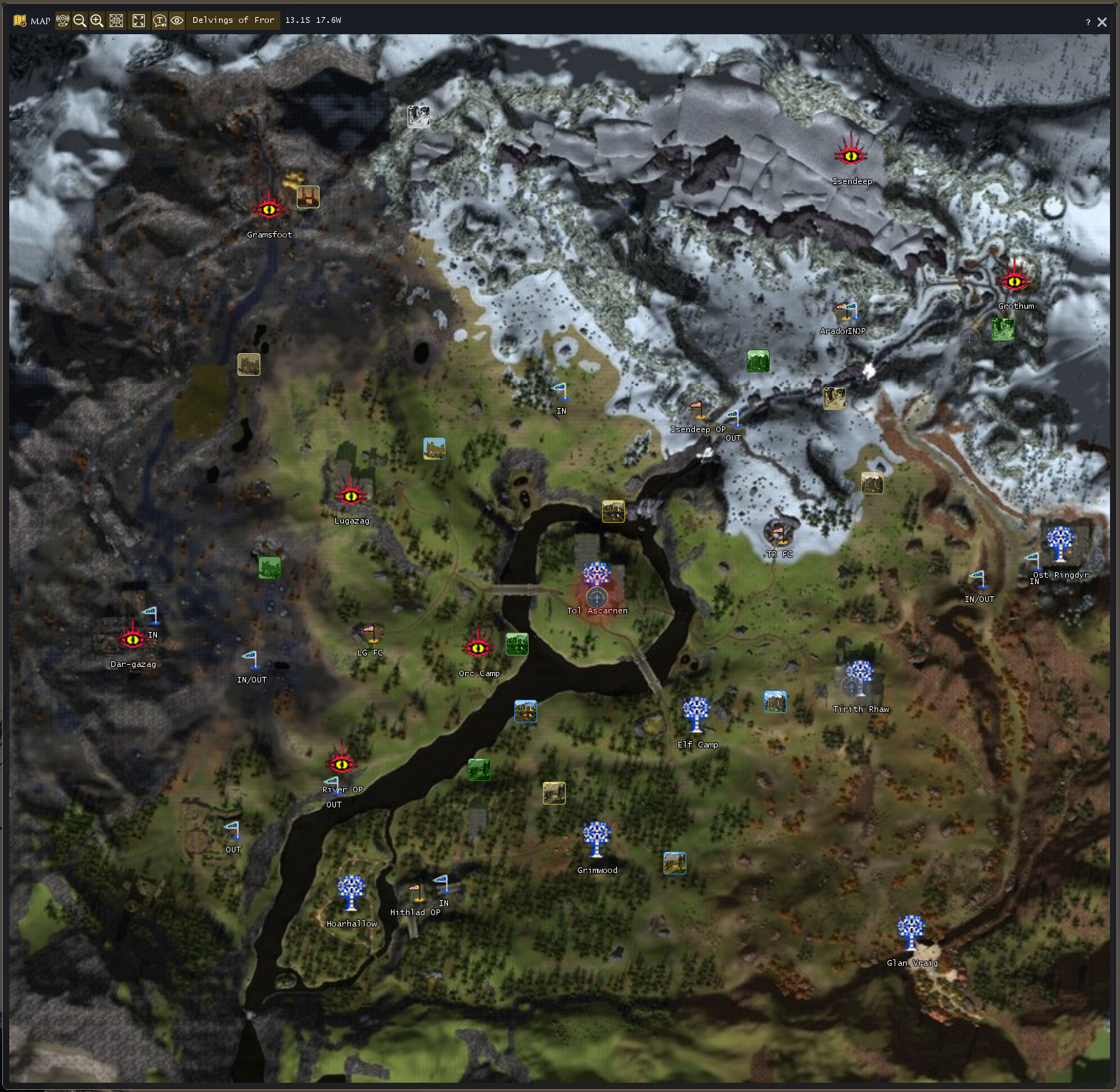
The map shows important locations, keeps, outposts, and identified ownership. You can turn labels, sightings, and the compass rose on or off.
Travel maps appear as Quickslots at their map positions. Lock the LOTRO interface before you use a travel Quickslot.
Your position
Use the position button or /cd pos. CombatDash triggers /loc and reads the coordinates from chat. The marker is a snapshot and does not move continuously.
Callouts
CombatDash can show compatible enemy callouts as temporary markers. Right-click a marker to add its sender to the blacklist.
Manage the blacklist under Options → Map. Blocked senders cannot create new markers.
Rally point
An identified raid leader can right-click the map to prepare a rally point. The next Quickslot click posts its coordinates through Raid Leader chat. Other CombatDash users then see the point on their maps.
Right-click the rally point to prepare its removal. CombatDash changes the point only after it receives the posted message back through chat.
Controls
The toolbar provides zoom, fit, maximize, labels, sightings, compass rose, and map switching. All required map tiles are included in the main package. You can switch between Normal and Enhanced map mode. Drag the map body to move the window or pan the Enhanced map. Drag the corner grip to resize it.
Cross-language messages and leader authority
Sightings can arrive in German, English or French, independently of your plugin language. Recognition also handles timestamps, player links and coloured chat envelopes. The interface remains German or English.
For rally points, the leader role reported by the game takes precedence. A manual leader setting is only a fallback when that role is unknown; it cannot override a known non-leader. The game still controls permission to post in Raid Leader chat. A point appears or disappears only after the sent message is received back through chat.